

Yes, you’re running your business without a website and doing okay. Maybe you’ve got a Facebook page and think that’s enough. You might even question how much of an impact a website can make on your business.
Well, this article breaks down the reasons your business needs a website (like yesterday), and how to create one fast.
Does my business need a website?
Short answer—yes.
In 2024, if you’re running a local small business, you need every edge you can get. Online, that edge is your website.
Why? Competition’s tough. Profits margins are tight. And social media’s reach is meh.
Breaking it down even further:
- You’re always open: A website works for you 24/7, during and after hours.
- You’ll look trustworthy: People judge a business’s credibility based on their website. Trust = Sales.
- You’ll be easy to find: 97% of people search online for local businesses. Without a website, you’re invisible to them.
- It’s an information hub: Consumers use websites to find business info. They want quick answers, not phone tag.
So don’t think of a website as just a digital business card. Think of it as your hardest-working employee, bringing in customers and making money around the clock.
This is the Internet Age (and your customers are online)
Billions of people are online right now. What’s that got to do with your business? A lot.
Local searches matter
Let’s say you run a bakery in Springfield. Every month, hundreds of people in Springfield are typing things like:
- “best cupcakes in Springfield” (850 searches)
- “birthday cake near me” (1,200 searches)
- “gluten-free bakery Springfield” (300 searches)
That’s 2,350 potential customers that are going to your competition because they don’t even know you exist.
We’re living in a digital first economy
Think about how you find stuff nowadays. When people need something, what’s the first thing they do? They grab their phones or hop on their computers.
- Looking for a new restaurant? Google it. In fact 46% of all Google searches are looking for local info.
- Need a plumber or electrician? Search online. And these aren’t just looky-loos, they’re searching with money-in-hand.
Your potential customers are doing the same thing when they’re looking for businesses like yours.
Will they find you?
Facebook isn’t enough (sorry, Zuck)
“But I have a Facebook page!” you might say. That’s cool, but here’s why it’s not enough:
Social Media vs. Your Website
- Control: Facebook decides who sees your posts. Only about 5% of your followers typically see your content. On your website, you’re in charge.
- Findability: Most purchases start on Google (or another search engine). Not everyone’s on Facebook.
- Credibility: Many people find a business without a website less credible.
- Features: Your website can do more, like take orders or bookings.
On social media, you’re a tenant. With a website, you’re the landlord.
Real-World Example: Pizza Palace
Carlos has been running his pizza place for years. He had a Facebook page for posting specials but wasn’t seeing much growth.
After setting up a website:
- Online orders increased by over 32%.
- New customer visits jump way up.
- He started making a lot more money without increased overhead.
What was the secret? There wasn’t one.
He launched his website. Started showing up for the search term “best pizza near me”. And had a great product.
Web design for a small business
Now that you’re sold on why your business needs a website yesterday, let’s roll up our sleeves and get yours up and running.
Here are the steps we’ll cover.
- How to setup hosting
- Building your website
- Editing your website
- Optimizing your site for search
- Going live!
For hosting we’ll be using Hostinger. Why? Lightning-fast load times, rock-solid uptime, and security tighter than a drum. Plus they’re giving you up to 80% off hosting and a free domain!
Step 1:
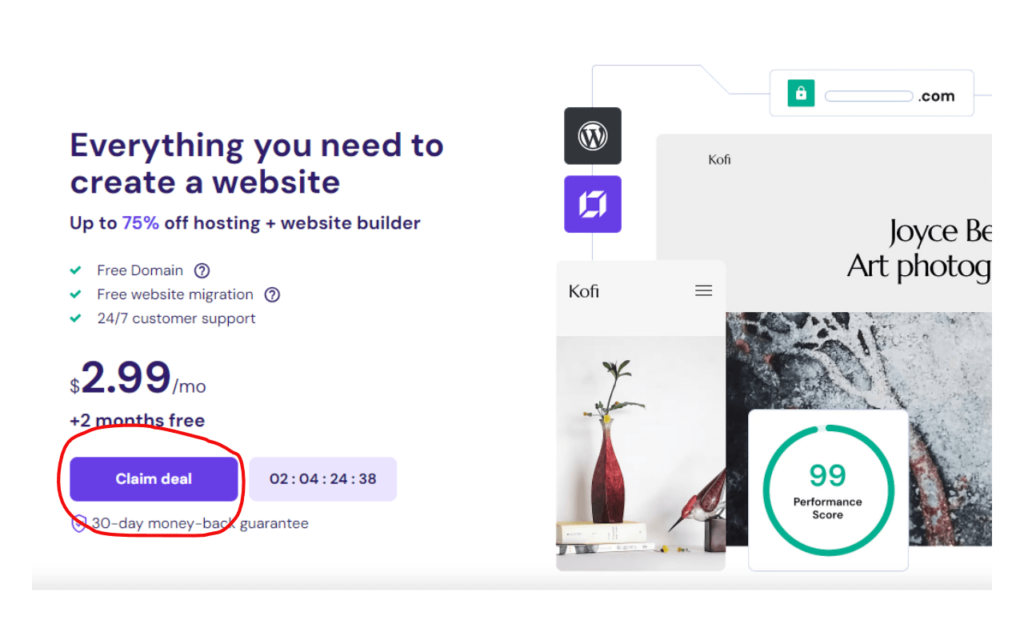
Let’s step-up your hosting. Click the button below to get your discount. Once you’re on the Hostinger main page, “Claim Deal”.
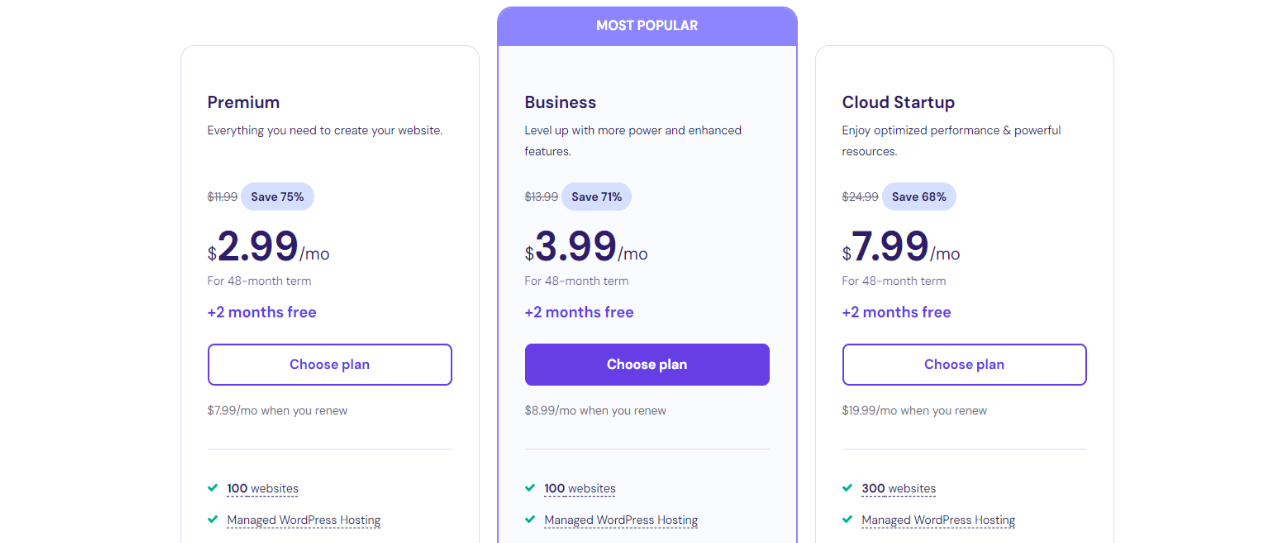
Choose a plan. For most small businesses, the “Premium” plan is sufficient, but we recommend paying the $.90 extra and going with the “Business” plan to get fully supported e-commerce and AI features which will definitely come in handy when you’re building your website.
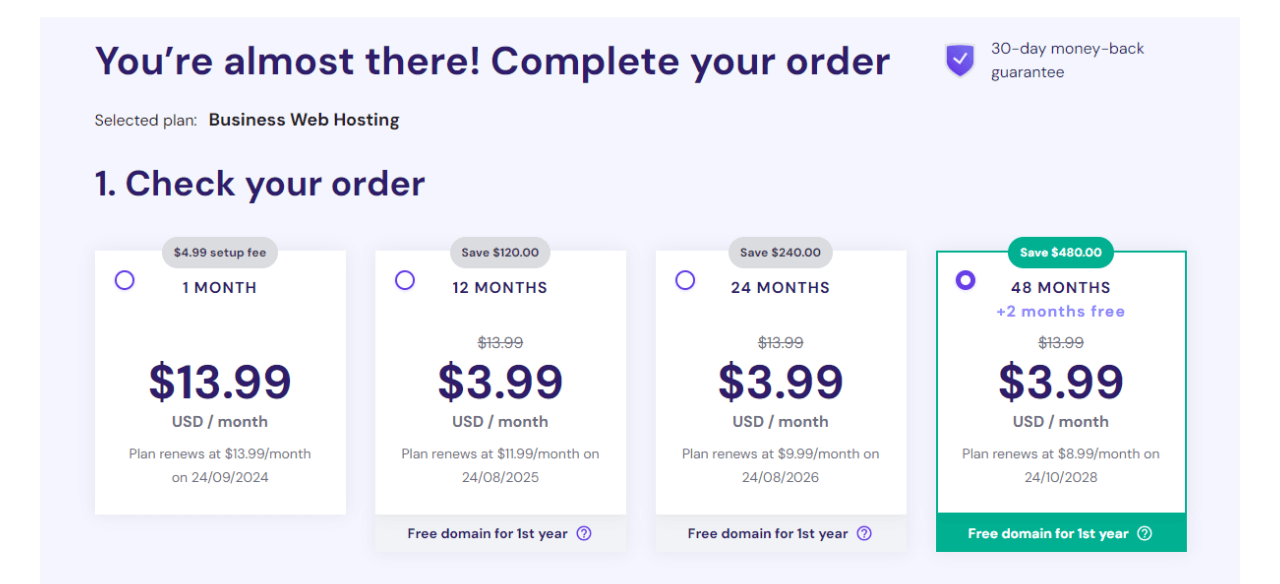
Now choose a duration. 48 Months is the best option, it saves you money long-term and comes with free months. But choose the option that fits best.
Finish setting up your account (enter your details and payment info) and verify your email.
Step 2:
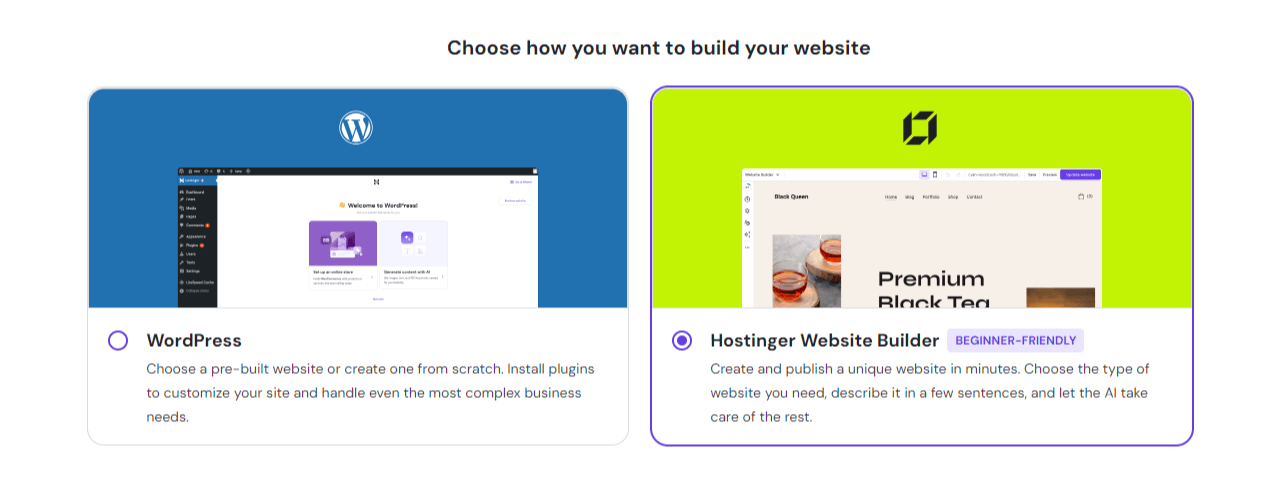
Building your website. After creating your account, you’ll land on the set-up page and create a website. Choose the Hostinger Website Builder.
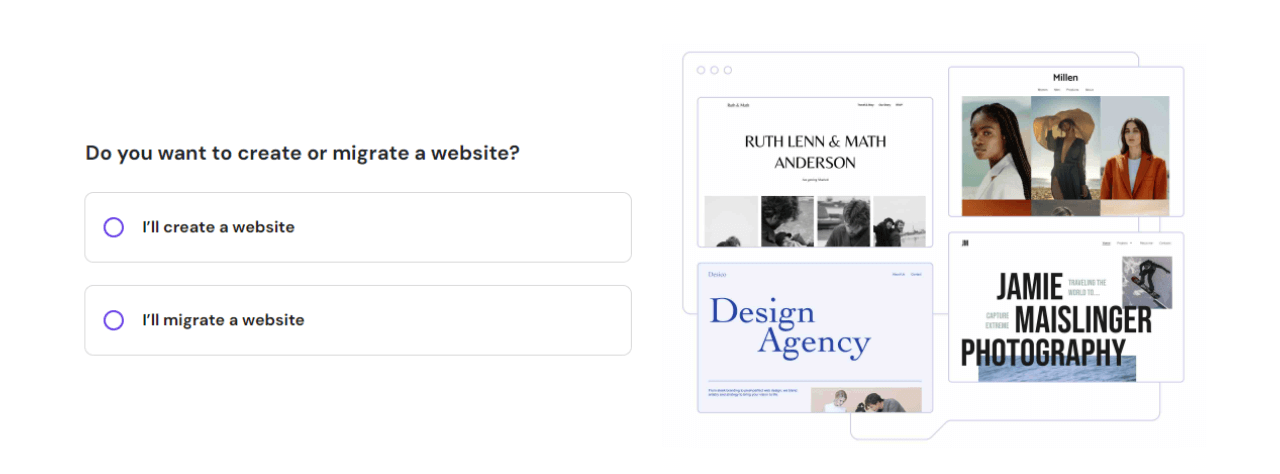
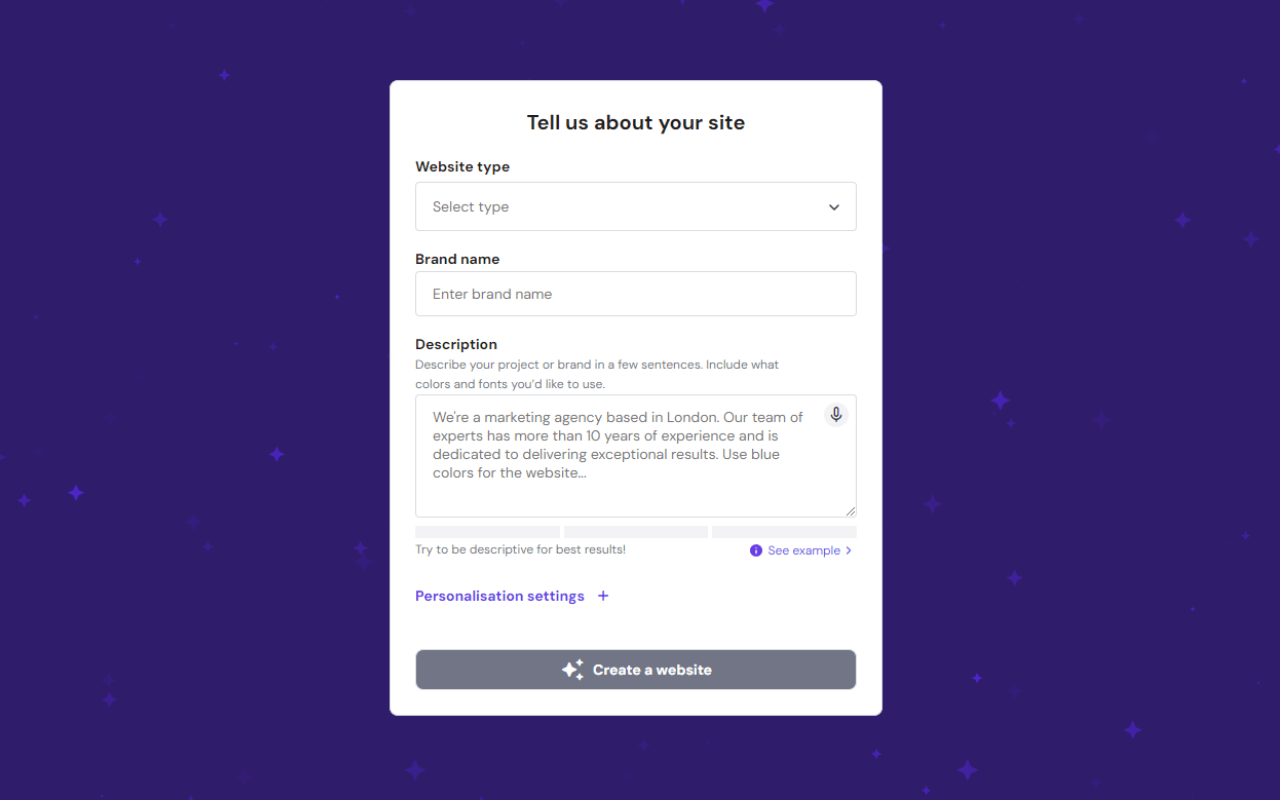
Describe your website. Pick a type and give it a title. To make it easy for the website builder to do its job, be as thorough as possible. This is an important step. Hostinger uses this information to create the perfect design, relevant website text, and even images.
Then wait for your website to be built.
Step 3:
Editing your website. This is where the fun begins, and Hostinger makes it simple with their drag-and-drop website builder. Unless you’re a tinkerer, we suggest using the “Site Setup Checklist” at the top of the toolbar.
Use the “Switch view” icons at the top of the page to see how your site looks on mobile. Any changes you make in the mobile view won’t affect how it looks on the desktop.
If you have an ecommerce website, you can set-up your store by clicking the “Shopping Cart” icon in the toolbar. This is where you manage products and set up shipping.
Styling your website. You can modify your website’s style by clicking the “Website Style” icon in the toolbar. Here you can change all of the colors, fonts and buttons used on your website.
In the settings tab, you have the option to add a favicon, set a cookie banner, add integrations like Facebook live-chat, and set-up Hostinger Analytics.
Hostinger AI Tools
Hostinger offers a suite of tools that make designing, editing and updating your site simple. You can access them from the toolbar on the left-hand side.
If you get stuck, check out “Help & Resources” under “More Settings”.
Step 4:
Optimizing your site for search engines (SEO). If you want your website to be discoverable, you don’t want to skip this step.
So head on over to “SEO Settings” under the “More Settings” icon. You can see how your site will look in search results.
Use the completion bar to see if there are any areas for improvement. Clicking on a page launches the SEO set-up for that page, where you can update the description, and keywords.
Step 5:
Time to go live!
To publish your website click the “Go Live” button.
After that a window will pop-up to view your live website and an option to connect a domain. Click “Connect Domain” and claim your free domain name. We recommend picking a .com or .online.
What’s next? Making your website work for you
If you followed the tutorial and created a website for your business, congrats!
So what’s next?
Getting your site online is step one. But keeping your site fresh is how you stay ahead.
- Update regularly: Fresh content boosts your search ranking
- Stay current: Customers doubt businesses with outdated info
- Keep it secure: Secure sites rank higher in Google searches
Sounds like a lot? Don’t sweat it. We can help.
Let Website99 handle it for you
We’ll take care of everything.
- Build a site that turns visitors into customers
- Keep it updated and secure
- Help you show up in local searches
You focus on your business. We’ll make sure the online world knows about it.
Ready to stop leaving money on the table?
Every day without a website is a day you’re losing customers to the competition. (because those people are going somewhere.)
Want to see how easy and affordable getting online can be? Click here.
You can also email us at letschat@gowebsite99.com.
Remember…in the digital world, if you’re not online, you don’t exist.